See It In Action
The Noise
You sit down to write. Then you check email. Open Twitter. Refill your coffee. Thirty minutes later, you've written nothing.
Distractions aren't a willpower problem — they're an environment problem.
The Silence
Focused Writer removes the option to get distracted.
When you start a session, your Mac becomes a writing-only device. No dock. No menu bar. No Cmd+Tab. Just you and your words.
How It Works
Set your commitment
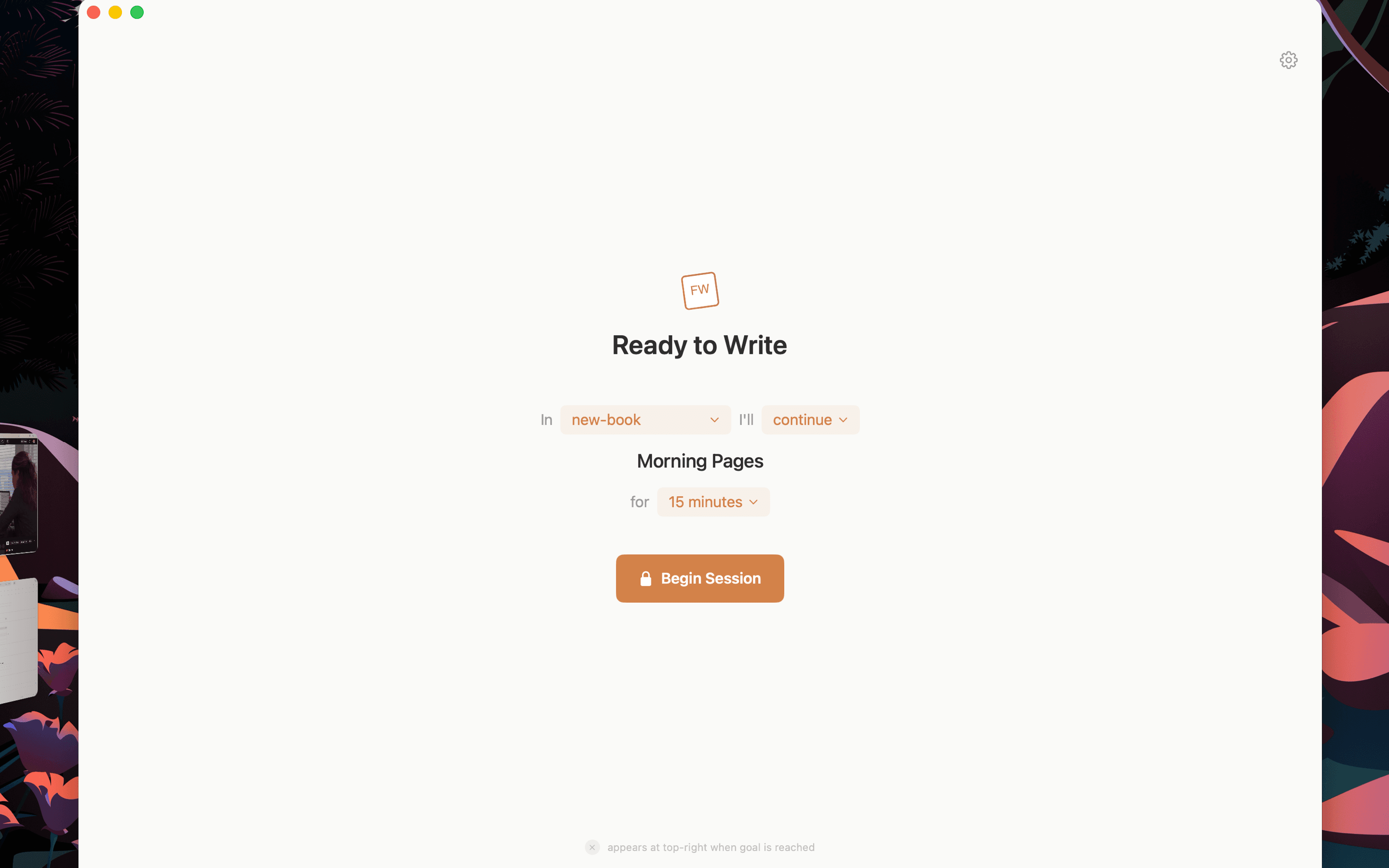
Choose how long you'll stay locked in.
You're locked in.
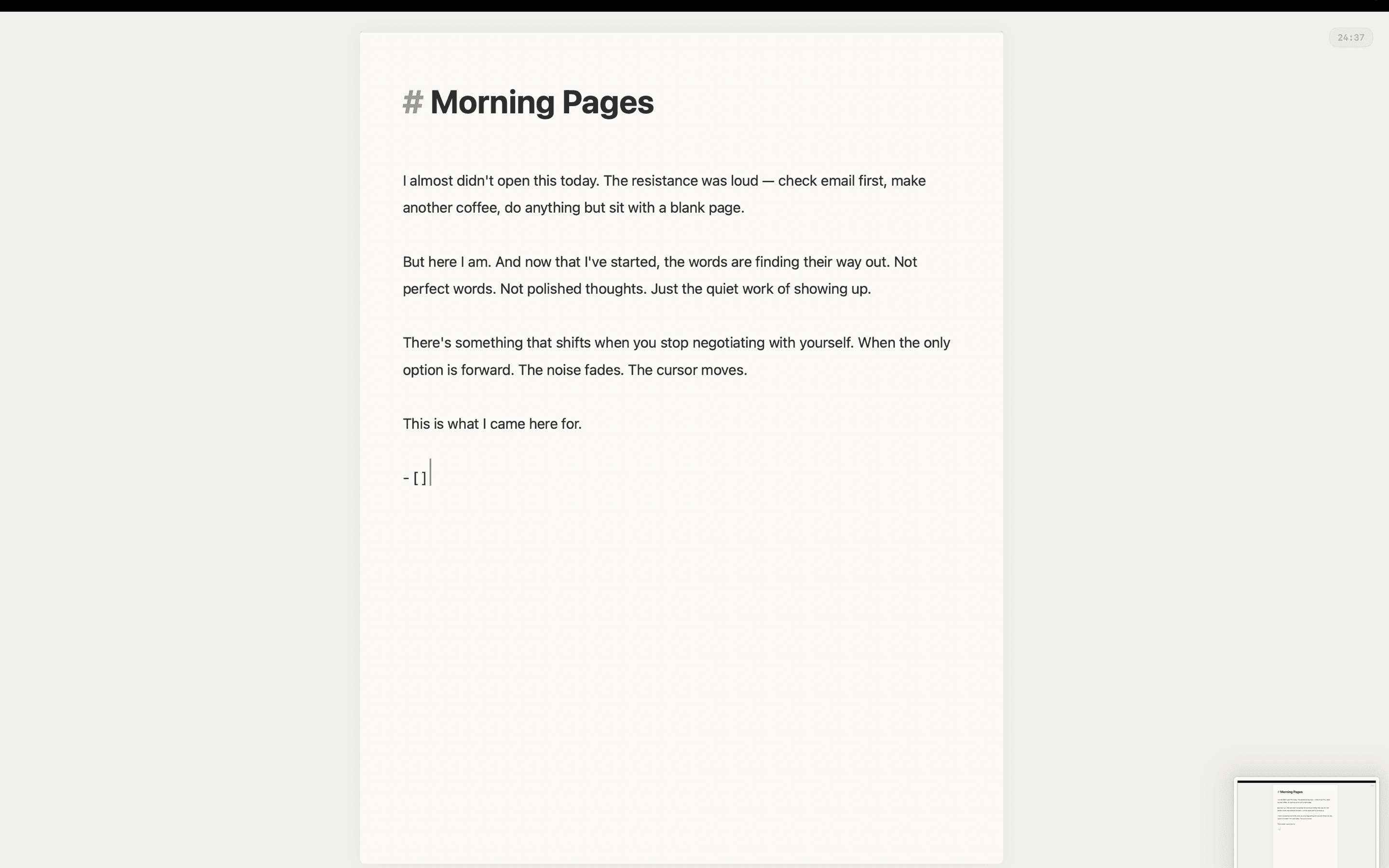
No dock. No menu bar. No escape.
There's nothing to do but write.
Set your commitment
Choose how long you'll stay locked in.
You're locked in.
No dock. No menu bar. No escape.
There's nothing to do but write.
How long should you write?
Different durations serve different purposes. Each preset is grounded in research on focus, fatigue, and creative flow.
Quick freewriting, overcoming blocks
— Freewriting research
Optimal focus without fatigue
— Francesco Cirillo
Peak concentration before break needed
— Cognitive load studies
Sustained cognitive depth
— Cal Newport
Natural alertness rhythm cycles
— Ultradian rhythm research
Features
Markdown Editor
Write in plain markdown with live formatting. Use slash commands for quick formatting without leaving the keyboard.
Science-Backed Presets
Five research-based durations from 15-minute sprints to 90-minute flow states. Each grounded in focus and productivity science.
Flexible Goals
Set targets that work for you: word count, time-based, or extend anytime if you're in flow.
Project Folders
Organize your writing into separate projects. Keep drafts, journals, and notes neatly separated.
Session History
Track your writing sessions over time. See your streaks, total words, and time spent in focus.
Local & Private
Your writing stays on your Mac. No accounts. No cloud sync. No tracking. Your words are yours.
Native macOS
Built with SwiftUI. Fast, lightweight, follows your system theme, and designed to feel at home on your desktop.
Who It's For
Writers
battling procrastination
Students
with papers to finish
Journalers
building a daily habit
Anyone
who needs words on the page
Pricing
Free to start
Download free with core features. Upgrade to Pro for unlimited sessions and full session history.
| Feature | Free | Pro |
|---|---|---|
| Sessions per dayStart as many focus sessions as you want each day | 3 | Unlimited |
| Session durationHow long each writing session can last | 15 min only | All |
| Science-backed focus presetsPomodoro (25min), Focus (45min), Deep Work (60min), Flow State (90min) | Not included | Included |
| Word count goalsSet word targets like 500 or 1,000 words per session | Not included | Included |
| Project foldersOrganize your writing into separate project folders | Not included | Included |
| Session historyTrack your writing sessions and progress over time | Not included | Included |
| Kiosk modeFull-screen distraction blocking with no escape | Included | Included |
| Markdown editorWrite in markdown with live formatting | Included | Included |
| Local & privateYour writing stays on your device, never uploaded | Included | Included |
Requires macOS 14.0 (Sonoma) or later · 30-day refund policy
Common Questions
Can I really not exit?
The app blocks normal exit methods (Cmd+Q, Cmd+Tab, Force Quit menu). There's an emergency exit for genuine emergencies, but it's intentionally inconvenient.
What if I need to take a call?
The emergency exit exists for real interruptions. But Focused Writer is designed for protected writing time—schedule sessions when you can commit.
Does it work with external keyboards?
Yes. Focused Writer works with any keyboard, including mechanical keyboards and the built-in Mac keyboard.
Where are my files saved?
In a folder you choose on your Mac. Files are saved as standard .md markdown files you can open in any text editor.
Is my writing private?
Completely. Nothing leaves your device. No accounts, no analytics, no cloud storage.